

Quick answer: best Shopify dropshipping automation tools
| Tool | Best for | Research | Product/page creation | Supplier automation | Order fulfillment |
| PagePilot MCP | Research through a published product page | Product, store, and ad research via MCP | Full conversion-page generation and publishing | Outside scope | Hand off to supplier platform |
| AutoDS | Broad supplier and store automation | Marketplace plus a paid Product Finding Hub add-on | AI page templates, separate ZipStore builder | Periodic price and stock scans | Order automation add-on |
| DSers | AliExpress-centered dropshipping, now with its own MCP | Trending and supplier research, MCP from Advanced ($19.90/mo) | Listing preparation | Automatic sync on paid plans | Bulk order placement, AliExpress payment done separately |
| Zendrop | Sourcing plus automated fulfillment | Catalog and trending-product tools | Product import | Availability notifications, no real-time stock sync | Auto-fulfillment on a schedule |
| Dropship.io | Data-driven product and ad research | Ad, store, and TikTok Shop research | Full store generation, not individual pages | None | None |
| Shopify Flow | Post-publish store workflows | None | None | Rule-based, not supplier-specific | Rule-based, not supplier-specific |
What can you automate in Shopify dropshipping?
- Product research. Identify product candidates, analyze competitors, examine ad activity, track bestsellers, find scaling products, compare margins.
- Product sourcing. Locate suppliers, import supplier products, request sourcing quotes, connect variants, sync product information.
- Page creation. Generate product and landing pages, write copy, translate, target a specific audience, configure the offer.
- Product setup. Prices, compare-at prices, options, variants, SKUs, imagery.
- Publishing. Import or publish the finished product into Shopify.
- Inventory and pricing sync. Monitor supplier stock and price changes and update Shopify to match, where the tool actually supports it.
- Order fulfillment. Receive the order, route it to the supplier, place the supplier order, sync tracking, update fulfillment status.
1. PagePilot MCP + AI agent: best for automating product research to published page
Best for: Dropshippers, performance marketers, agencies, and Shopify teams that repeatedly test products and want to move from research to a finished launch without handing the work between separate tools.
PagePilot MCP is not the AI agent itself. It gives an MCP-compatible assistant such as ChatGPT or Claude access to PagePilot's ecommerce actions.
The AI interprets the merchant's request and decides which supported actions to call. PagePilot handles the underlying research, page, catalog, creative, and publishing work.
That distinction matters because the real value isn't simply that PagePilot can research products and build pages. It's that the same conversation can carry context across the launch.
A merchant could start with:
Using the PagePilot MCP, find products currently showing strong demand signals, compare their margins and Facebook ad activity, build a French page for the best candidate using the Bloom template, set the offer to 39.99 with a 59.99 compare-at price, add the variants and SKUs, generate lifestyle imagery, and show me the finished page before publishing it.
PagePilot can start before the merchant has chosen a product. Its research tools can surface products, stores, bestsellers, and Facebook ads worth looking at. PagePilot calls some of these “winning products,” but that should be treated as a research signal, not a promise that the product will sell.
Once the merchant chooses a product, PagePilot can build a product or landing page from an AliExpress, Shopify, or Amazon URL. The page can be tailored to a specific audience, language, template, and marketing angle.
From there, the same launch can keep moving inside the workflow. The agent can refine the copy, translate reviews, adjust the guarantee, change pricing, clean up variants and options, add SKUs, and replace existing product shots with AI-generated lifestyle images.
Where the agent stops and merchant control begins
This still isn’t fully hands-off automation. ChatGPT or Claude can ask for approval before PagePilot makes write changes, unless the user has already allowed those actions.
PagePilot adds a few safeguards of its own. It checks the current page before editing, asks before using AI-image credits, and backs up an existing Shopify product before overwriting it. AI image generation is currently capped at four images per request.
Publishing only works with a Shopify store that has already been connected inside PagePilot. MCP can preview the page and publish it to that store, including as a new product, but it can’t connect the store for you.
What still happens outside the MCP
The MCP is deliberately focused on the product-launch workflow rather than exposing every PagePilot dashboard control.
It currently doesn't add, remove, or reorder page sections; make broader font or color changes; edit SEO settings; browse the template gallery; upload the merchant's own images; create advertorials or standalone pages; connect Shopify stores; or delete and duplicate pages.
That makes the dividing line fairly clear: use MCP for the conversational research-to-launch workflow, and use the PagePilot dashboard when deeper page management or design control is required.
It is also not a continuous post-publish synchronization layer. If a merchant edits the PagePilot version after importing the product, those later edits do not automatically update the live Shopify version.
Biggest advantage
PagePilot keeps the context of a product launch intact from the initial research question through page creation, positioning, offer setup, catalog configuration, creative, preview, and publishing. The merchant can iterate on the launch in conversation instead of repeatedly exporting results and rebuilding the context at each step.
Biggest limitation
Its automation is intentionally concentrated on research and launch. Supplier purchasing, stock synchronization, fulfillment, and tracking belong to the fulfillment platform connected after publication.
Find It. Build It. Price It. Publish It With PagePilot MCP. Connect ChatGPT or Claude to PagePilot MCP and move from product research to a finished Shopify launch in one conversation.
2. AutoDS: best all-in-one Shopify dropshipping automation platform
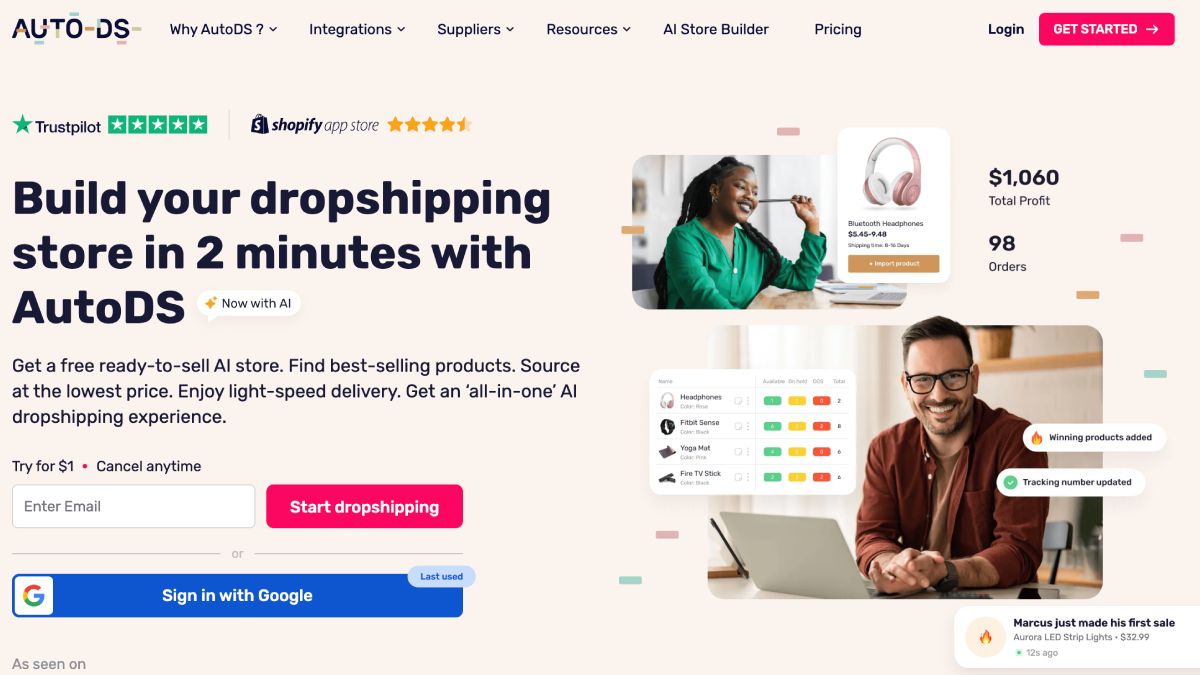
Best for: Dropshippers managing enough products, suppliers, or orders that importing listings, monitoring supplier changes, and processing fulfillment manually has become the bottleneck.
AutoDS covers a much wider part of the dropshipping operation than a simple product importer. It combines product discovery, sourcing, listing import, pricing rules, supplier monitoring, ordering, tracking, and fulfillment, with newer AI tools for product pages, imagery, ad copy, UGC, and store building.
But “all-in-one” needs some unpacking.
Product research is broader than a product catalog
AutoDS Marketplace includes products from retail suppliers such as Amazon, AliExpress, and Walmart as well as AutoDS private suppliers and warehouse inventory. Its separate Product Finding Hub adds Trending Products, Hand-Picked Products, Ads Spy, and TikTok Analytics.
Ads Spy covers TikTok, Facebook, and Instagram, while TikTok Analytics exposes metrics such as units sold, GMV, sales trends, commission rates, and a Viral Index. The Product Finding Hub currently costs $14.97/month separately from the core subscription.
The useful distinction is that finding a product and finding a supplier are not necessarily the same step. AutoDS can surface demand signals first, then let the merchant search supported suppliers or its own Marketplace for something they can actually source.
Importing is simple; automation depends on the supplier
AutoDS can import product listings with images, variants, titles, and other product data, including through its Chrome extension. Merchants can then apply pricing rules for target margins, fixed profit amounts, estimated marketplace fees, supplier shipping costs, and Shopify compare-at pricing.
The part to watch is fulfillment. Import support is much broader than automatic ordering support.
AutoDS can import from dozens of suppliers, including AliExpress, Amazon, Walmart, Shein, CJdropshipping, Alibaba, Home Depot, and Target. But importing a product from one of those sources doesn’t automatically mean AutoDS can place the order for you.
Auto-Order through the merchant’s own buyer account is limited to supported AliExpress and Amazon regions. Fulfilled by AutoDS works with a broader supplier set, while some suppliers that are fine for importing still require manual ordering.
So when you’re judging how automated AutoDS really is, check the fulfillment method for the supplier you actually want to use, not just whether AutoDS can import its products.
Stock and price monitoring is scheduled, not real time
With monitoring turned on, AutoDS checks supplier prices and stock several times a day. Price changes usually reach the store within one to two hours, so it isn’t a live inventory feed. If a supplier sells out between scans, the product can briefly remain available in the store until AutoDS checks it again.
Monitoring also isn’t universal. It’s unavailable on Import 200 and doesn’t work the same way for Drafts or AutoDS Marketplace products.
AutoDS can pause a product when supplier stock disappears and recalculate the selling price when supplier costs change. What it won’t do is automatically find a new supplier when the original source runs out. The merchant still has to handle that switch manually.
So the automation is useful for keeping prices and availability closer to the supplier, but it shouldn’t be treated as real-time stock syncing or automatic supplier failover.
Pricing automation goes beyond following supplier costs
AutoDS can also automate pricing around the margin rules the merchant sets.
You can define percentage or fixed-profit targets, account for marketplace fees and supplier shipping, and use different margins for different product-cost ranges. AutoDS can also adjust profit targets based on sales performance, raising them on stronger sellers or lowering them when a product slows down.
Those rules don’t automatically rewrite every existing listing. Products already in the store need the relevant automation assigned before the new pricing logic applies.
So AutoDS handles the calculations and updates, but the merchant still decides what margin strategy to use.
Order automation has more prerequisites than the headline suggests
AutoDS doesn’t include automatic fulfillment with the base subscription alone.
The Orders Processor add-on currently costs $9.90 per month and is required for both Auto-Order and Fulfilled by AutoDS. Automated order actions also use Auto-Order Credits. A standard FBA or Auto-Order transaction without tracking conversion uses one credit, with current package pricing ranging from about $0.50 per credit for 20 credits to $0.20 each for 2,500.
One billing detail is easy to miss. AutoDS currently pre-selects the Orders Processor add-on during registration, so merchants who don’t want it need to remove it before the trial ends or cancel it separately.
If a merchant uses Auto-Order with their own Amazon or AliExpress buyer account, AutoDS recommends placing and receiving 2–5 manual orders through that account first. The idea is to establish some order history before automated purchasing begins.
With Fulfilled by AutoDS, there also needs to be enough money in the Managed Order Balance to cover the products and shipping. Auto-Order Credits only pay for the automation itself. They don’t pay the supplier.
Tracking is automated too, but not instantaneous
For supported Auto-Order workflows, AutoDS can pull tracking information from the supplier and send it back to the sales channel automatically. Its documentation says tracking checks run roughly every 6–12 hours, so updates won’t appear immediately.
Tracking-conversion services such as BlueCare Express, QTrack, or Tracking Generator can also use extra Auto-Order Credits. They’re only available for supported suppliers and automation methods.
The creative layer is useful, but separately metered
AutoDS now includes more than basic supplier imports. Its AI tools can improve product-page content, generate product and lifestyle images, and create ad copy.
Those features use a separate AI-credit balance. A product-page enhancement currently costs 99 credits, image generation costs 90, and ad-copy generation costs 25.
The page-generation tools also have clear limits. AutoDS says its templates don’t create supplier reviews, trust badges, or FAQ sections, so those still need to be added separately.
Biggest advantage
AutoDS brings a large part of the post-product-selection operating loop into one system: import the listing, apply pricing rules, monitor the supplier, react to price or stock changes, automate eligible orders, retrieve tracking, and update the selling channel.
Its value becomes much clearer once a store has enough products and orders that doing those checks manually is no longer realistic.
Biggest limitation
The phrase “all-in-one” can obscure how much depends on configuration, supplier compatibility, add-ons, and credits. Product import support doesn't guarantee automatic ordering, monitoring isn't real time, and fulfillment requires additional setup and billing beyond the core subscription.
For merchants evaluating AutoDS, the useful question isn't simply “Does AutoDS support my supplier?” It's “Which parts of the workflow does AutoDS support for this supplier: import, monitoring, Auto-Order, Fulfilled by AutoDS, and tracking?”
3. DSers: best for AliExpress-centered dropshipping, now with its own MCP
Best for: Merchants whose dropshipping workflow depends heavily on AliExpress, Alibaba, or 1688 and who need product sourcing, supplier mapping, ordering, and tracking to stay connected as order volume grows.
DSers is often described as an AliExpress bulk-ordering tool, but that undersells what it actually manages. Its core job is maintaining the relationship between the product the customer sees in Shopify and the supplier product that ultimately gets ordered.
That starts before the first sale.
Supplier Optimizer is more than product search
DSers can import supplier products directly into its Import List, where merchants can edit titles, descriptions, images, variants, and other listing data before pushing them to Shopify. Its Chrome extension can also pull an AliExpress product into DSers while the merchant is browsing.
The more useful sourcing feature is Supplier Optimizer. For an existing product, DSers can search AliExpress and Alibaba for alternative suppliers and compare them on product cost, shipping cost and method, estimated delivery time, sales volume, product rating, seller reliability, communication, and shipping-speed scores.
The merchant can also change the destination country and shipping method before comparing suppliers, so a supplier that looks cheap for one market isn't automatically treated as the best option for another.
That makes Supplier Optimizer useful after launch too. If a supplier raises prices, runs out of stock, ships too slowly, or gets worse ratings, the merchant can look for another source rather than rebuilding the Shopify product from scratch.
Mapping is what makes fulfillment work
The important DSers concept is product mapping.
A Shopify product might call a variant Black / Large, while the supplier might call the equivalent SKU BK-L-02. Mapping tells DSers which supplier SKU should be ordered when the customer selects that Shopify variant.
When products are pushed from supported supplier platforms such as AliExpress, Alibaba, or 1688, DSers can create the initial mapping automatically. Its Automated Mapping rules can also auto-match exact option names and reuse merchant-defined rules on future products.
But that automation still needs checking. DSers explicitly notes that Automated Mapping follows the rules the merchant creates; it does not independently verify that two supplier options with similar names are actually equivalent. Testing a few mappings before applying the workflow at scale is sensible.
Mapping also makes supplier switching much cleaner. Changing the default mapping can reroute all eligible awaiting orders for that product to the new supplier at once. Orders that have already been submitted to AliExpress aren't rewritten retroactively.
Bulk ordering removes repetition, not every checkout step
Once customers order, those orders flow into DSers against their mapped supplier variants.
DSers can process up to 100 orders at once, automatically carrying the customer's shipping information and mapped variant into the supplier-order workflow. That removes the repetitive work of opening products and copying customer details order by order.
There is still an important boundary: submitting AliExpress orders through DSers moves them into Awaiting Payment. The merchant completes the AliExpress payment separately rather than DSers silently charging the supplier purchase inside the workflow.
That makes “bulk order automation” more accurate than “fully automatic purchasing.”
Tracking continues after the supplier ships
After shipment, DSers can pull tracking numbers from the supplier and sync them back to the connected store automatically.
It can also monitor changes to tracking numbers. Suppliers sometimes replace an incorrect or placeholder tracking code after shipment; with Auto-Update enabled, DSers can watch for those changes over a selected 7-, 14-, or 21-day period and push the corrected number back to Shopify.
That is more useful operationally than simply saying DSers “syncs tracking,” because the fulfillment record can keep changing after the first tracking number appears.
The MCP turns those workflows into one operating conversation
DSers now exposes supplier discovery, freight comparison, listing preparation, pricing, publishing, mapping, orders, checkout, fulfillment requests, and tracking through its official MCP.
The important part isn't simply that ChatGPT can call DSers. Store context, supplier mappings, prices, order status, packages, permissions, and plan information remain available as the agent moves between tasks.
A merchant could ask:
Find alternative suppliers for this bestseller, compare product cost and US freight, show me the strongest candidates, and prepare the new mapping for review.
Or:
Show me the orders that can't be placed, explain what is blocking them, and prepare the eligible supplier orders.
High-impact mapping, catalog, order, tracking, and notification actions use preview and confirmation before execution. Longer operations such as product publishing, AI mapping, bulk price changes, and supplier ordering also expose progress, warnings, and final results to the connected agent.
That makes the MCP more useful than a conversational wrapper around the dashboard. It can carry the operational context from supplier problem → diagnosis → proposed action → confirmed change.
Free vs paid matters
DSers Basic is currently free and includes up to 3 stores and 3,000 supplier products, along with product importing, bulk-order tools, basic tracking-number sync, manual pricing tools, and supplier research features.
Advanced starts at $19.90/month and raises that to 10 stores and 20,000 supplier products while adding MCP access, automatic pricing, automatic price and stock syncing, bulk-order automation, package-status syncing, and a branded tracking page.
So a small AliExpress store can use DSers without immediately paying for the full automation layer. The paid plans become more relevant once supplier changes, pricing, inventory, multiple stores, or AI-driven operations need to run with less manual intervention.
One caveat on stock synchronization
DSers inventory automation should not be described as real time.
Its current documentation says mapped supplier inventory is checked on a schedule and only pushed to Shopify under specific conditions. For example, DSers may avoid changing store inventory when the difference from supplier stock is small, and multi-supplier mappings aren't eligible for the same automatic inventory synchronization.
That means merchants should still use supplier-change notifications and mapping checks rather than assuming that “auto-sync” means Shopify always mirrors the supplier's exact stock count second by second.
Biggest advantage
DSers keeps supplier selection, variant mapping, order placement, and tracking connected to the same product relationship. That becomes increasingly valuable as a store adds variants, suppliers, markets, and order volume.
Biggest limitation
DSers can prepare and publish listings, but its center of gravity is supplier operations rather than merchandising and landing-page production. Its listing tools organize supplier products for sale; they are not a substitute for a dedicated workflow built around positioning, audience-specific page structure, offer presentation, and launch creative.
4. Zendrop: best for sourcing and automated fulfillment
Best for: Dropshippers who want product sourcing, supplier fulfillment, shipping, and tracking managed through one platform rather than placing individual supplier orders themselves.
Zendrop sits closer to a managed fulfillment network than a simple marketplace connector. Merchants can choose products from its existing catalog, request sourcing for an outside product, publish products to Shopify, and then have Zendrop process eligible orders and return tracking information after the sale.
Product research includes actual order signals
Zendrop's catalog isn't just a searchable supplier list. Its product-research data includes an Order Trend Score, which measures changes in order activity; a Growth Metric based on daily order volume over the previous 30 days; and Saturation, which indicates how many other Zendrop sellers are carrying the product.
Zendrop currently treats an Order Trend Score of 20% or more as a positive momentum signal, but that should be treated as research input rather than proof that a product will succeed in a particular store. Its Trending Products collection is also refreshed weekly.
The catalog can be filtered by product category, supplier, price range, and—most importantly—where the product ships from.
“Ships from US” and “Zendrop Fulfillment” are different supply chains
Zendrop currently has two main fulfillment routes.
Products marked Zendrop Fulfillment ship from China and can reach international markets. Zendrop also works with U.S.-based suppliers whose products ship domestically within the United States.
For U.S.-supplier products, Zendrop currently quotes average U.S. delivery of roughly 3–5 business days after processing, with processing usually taking another 1–3 business days. The U.S. catalog is smaller than its China-based catalog and those products are generally limited to U.S. destinations.
That distinction matters before choosing a product. A merchant targeting U.S. customers might prioritize domestic fulfillment for speed, while a store selling internationally needs to confirm that the selected supplier can actually serve those countries.
Custom product sourcing follows a different route again. Zendrop can source from an external product link, including AliExpress, Amazon, eBay, Temu, or Alibaba. But its current documentation says those custom sourcing requests are fulfilled through its China-based supplier network, not by sourcing a new domestic U.S. supplier.
Test the product before handing fulfillment to automation
One practical Zendrop feature worth using before scaling is sample ordering.
Paid-plan merchants with a connected store can order a product to themselves to inspect quality, functionality, packaging, and shipping conditions or create original photos and videos. The merchant pays the wholesale product cost plus shipping, and sample orders are generally non-refundable.
That is especially useful because packaging varies by supplier. Most standard Zendrop orders use plain packaging, but some manufacturer packaging can still contain original branding or manuals, and products fulfilled through Amazon suppliers may arrive in Amazon-branded packaging.
Zendrop explicitly recommends samples when packaging matters to the brand experience.
Existing Shopify products still need to be linked correctly
If the product originates inside Zendrop, publishing creates the connection needed for fulfillment.
If the Shopify product already exists (for example because its page was built elsewhere) it needs to be linked to the corresponding Zendrop product and its variants mapped correctly before Zendrop can reliably fulfill its orders.
Zendrop lets merchants replace individual variant mappings or unlink an existing product and connect a different Zendrop listing. Its own guidance recommends verifying the mapping after changes so the correct supplier variant is ordered.
That mapping step is easy to overlook, but it is what connects the customer-facing Shopify variant to the physical product Zendrop should actually ship.
Auto-fulfillment removes order approval, not every operational constraint
Once the product is linked, Zendrop can automate the order-processing side.
Its immediate Auto-Fulfillment mode checks for eligible unfulfilled orders every 10 minutes once an order is at least five minutes old. Alternatively, Daily Fulfillment processes outstanding orders once per day at 7 PM EST.
These settings are configured separately for each connected store.
Shopify orders still marked pending payment are excluded from auto-fulfillment and need to be dealt with manually. Auto-fulfilled orders are charged through the merchant's configured payment method, with eligible Zendrop credits applied according to the account's credit settings.
Once fulfilled, Zendrop populates tracking back into its order workflow rather than requiring the merchant to manually retrieve supplier tracking for each shipment.
Inventory works differently from AutoDS- or DSers-style stock sync
Zendrop should not be described as maintaining a live mirror of supplier inventory.
For products where an inventory figure is required, Zendrop can display a default quantity of 50,000, which its documentation explicitly describes as an arbitrary number rather than a real supplier-stock count.
Actual availability is verified through its sourcing and fulfillment process, and merchants receive notifications when products or variants become unavailable.
That means an out-of-stock alert can still require the merchant to disable or adjust the Shopify listing manually. Zendrop is automating the fulfillment relationship, not providing a continuous real-time supplier-inventory feed.
Branding depends on how the order is fulfilled
Zendrop can automatically insert custom thank-you cards into future eligible orders once branding is enabled.
Deeper customization (private labeling, branded products, or custom packaging) is handled through the Private Agent Program for qualifying higher-volume merchants and can involve minimum order quantities and upfront payment.
Again, supplier origin matters. U.S.-supplier products don't offer the same custom-branding options as Zendrop Fulfillment, and Amazon-supplier products can arrive in Amazon packaging. So “Zendrop supports branding” is true, but not universally across every product and fulfillment route.
Biggest advantage
Zendrop connects product sourcing to physical fulfillment without requiring the merchant to manage individual supplier purchases for every eligible order. Catalog selection, custom sourcing, product linking, fulfillment, tracking, samples, and some branding controls all sit within the same operating system.
Biggest limitation
The experience varies materially by supplier. Shipping geography, delivery speed, packaging, branding options, sourcing route, and product availability can differ depending on whether the order uses Zendrop Fulfillment or a U.S. supplier.
Its inventory model also isn't a real-time supplier-stock feed, so merchants still need to pay attention to availability notifications and fulfillment exceptions.
5. Dropship.io: best dedicated product and ad research tool
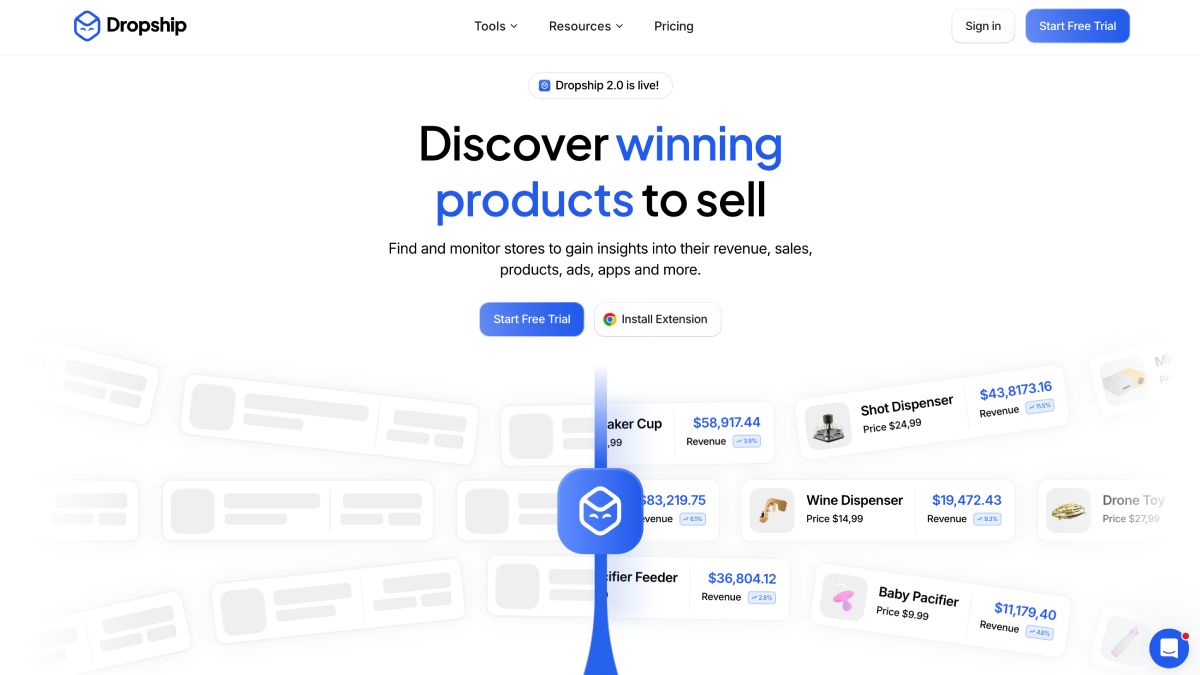
Best for: Merchants who need stronger evidence before deciding which products, ads, competitors, or TikTok Shop trends are worth investigating.
Dropship.io is primarily a research system, not a supplier-operations platform. Its value comes from looking at a product from several directions rather than presenting one generic “winning product” feed.
A merchant can research the advertising behind a product, see which Shopify stores are carrying similar products, model the unit economics, inspect TikTok Shop sales trends, or skip manual searching and work from Dropship.io's weekly curated Portfolio.
Ad Library tells you whether advertisers are putting money behind an offer
Dropship.io's Ad Library 2.0 can be searched by keyword, uploaded image, ad format, dates, language, country, CTA, and other filters.
For an individual ad, it surfaces metrics including:
- Total estimated ad spend for that specific ad
- Reach
- How many ad sets are using it
- How long the ad has been running
- Product selling price
Merchants can also open the advertiser, find similar ads, watch the creative, or visit the advertiser's store.
That makes ad spend useful as a validation signal, but not proof of profitability. A brand spending heavily tells you that an offer is receiving budget. It doesn't tell you the advertiser's acquisition cost, refund rate, supplier cost, or actual profit.
Dropship.io now goes deeper at advertiser level too. Its Advertiser Library can show EU ad-spend and reach trends, top-spending creatives, active-ad counts, targeting countries, and demographic data. Merchants can track advertisers over time rather than relying on a single ad snapshot.
Competitor Research is more useful when you enter your own economics
Competitor Research 2.0 searches millions of product listings and lets merchants filter by product price, store size, image count, variant count, keywords, product age, store age, and other characteristics. It also links products back to competitor stores and, where available, AliExpress sources.
The built-in profit calculator can estimate:
- product and shipping cost;
- payment fees;
- profit margin;
- break-even CPA;
- break-even ROAS;
- potential profit.
But those outputs aren't independent forecasts. Dropship.io's calculator uses assumptions that the merchant should replace with real numbers. For example, its default estimated CPA is one-third of the selling price, and its displayed potential-profit example assumes 25,000 units.
So the actionable use is:
Take a product that looks promising from ad or competitor data, enter your actual supplier cost, shipping cost, expected fees, and realistic acquisition cost, then see whether the economics still work.
That's much stronger than choosing products because a dashboard labels them “winning.”
Portfolio is a shortlist, not a guarantee
For merchants who don't want to conduct every search manually, Portfolio 2.0 releases curated product ideas every Monday at 12 PM EST, with up to 40 products per week depending on the plan.
Each product can include competitor counts, saturation, product cost, selling price, margin estimates, BECPA, BEROAS, competitor examples, Facebook and TikTok ads, supplier links, audience suggestions, and pros and cons.
Dropship.io also assigns products a proprietary Score. Treat that the same way as any “winning product” label: a prioritization signal, not a prediction that the product will succeed for a particular merchant.
A useful workflow is to use Portfolio to create a shortlist, then validate the candidate independently through Ad Library, competitor data, supplier economics, and your own market before launching it.
Magic AI Search reduces the manual digging
Magic AI Search can start from a product image, video, product URL, or keyword and search across Dropship.io's research datasets.
Instead of knowing exactly which filter combination to use, a merchant can start with something they spotted in an ad or store and then move between Product Library, Ad Library, and Competitor Research to investigate similar products, performance signals, and competitors.
That is a more useful AI application than simply asking a chatbot, “What should I dropship?”
TikTok research goes beyond a trend feed
Dropship.io's current TikTok Shop tools can filter products by price, sales, revenue, variants, and other store/product metrics. Its Sales Tracker can monitor a specific TikTok Shop or product and begins collecting daily sales and revenue data within 24 hours.
Its Creator Library also lets merchants research TikTok creators using sales, revenue, revenue growth, products promoted, videos, views, and follower counts.
That means the platform can be used to investigate not only what is selling, but also which stores and creators appear to be driving that demand.
Research can hand off directly to Shopify or AutoDS
Dropship.io isn't entirely disconnected from execution.
A connected Shopify store can import products from Dropship.io's database and Portfolio. Competitor Research can also import directly to Shopify or AutoDS when Dropship.io identifies a corresponding supplier through AliExpress or AutoDS.
But that is still primarily a listing-import handoff, rather than an end-to-end workflow for positioning, page construction, offer configuration, creative generation, supplier monitoring, or fulfillment.
Build Store 2.0 is a different workflow
Build Store 2.0 should not be confused with individual product-page generation.
The current process creates a new Shopify store. The merchant chooses one of five niches (Fashion & Apparel, Electronics, Home & Garden, Pets, or Sport & Fitness) selects two of six proposed banner designs, claims the Shopify store, activates a Shopify plan, and lets Dropship.io apply its AI customization before making the store public.
That can shorten initial store setup, but it solves a different problem from building and iterating a specific product landing page inside an established Shopify store.
Biggest advantage
Dropship.io lets merchants cross-check product opportunities across several datasets instead of relying on a single product-discovery signal. Ad spend, competitor listings, store data, TikTok sales, creator performance, supplier links, and unit-economics calculations can all contribute to the decision.
Biggest limitation
Research depth doesn't eliminate the need for validation. Ad spend doesn't prove profit, proprietary scores don't predict your store's results, and calculator outputs depend heavily on the assumptions entered.
Dropship.io can help answer “Is this product worth investigating?” It doesn't replace the work of validating the supplier, testing the offer, building the launch asset, and proving that the economics work with real traffic.
6. Shopify Flow: best for automating the store after publishing
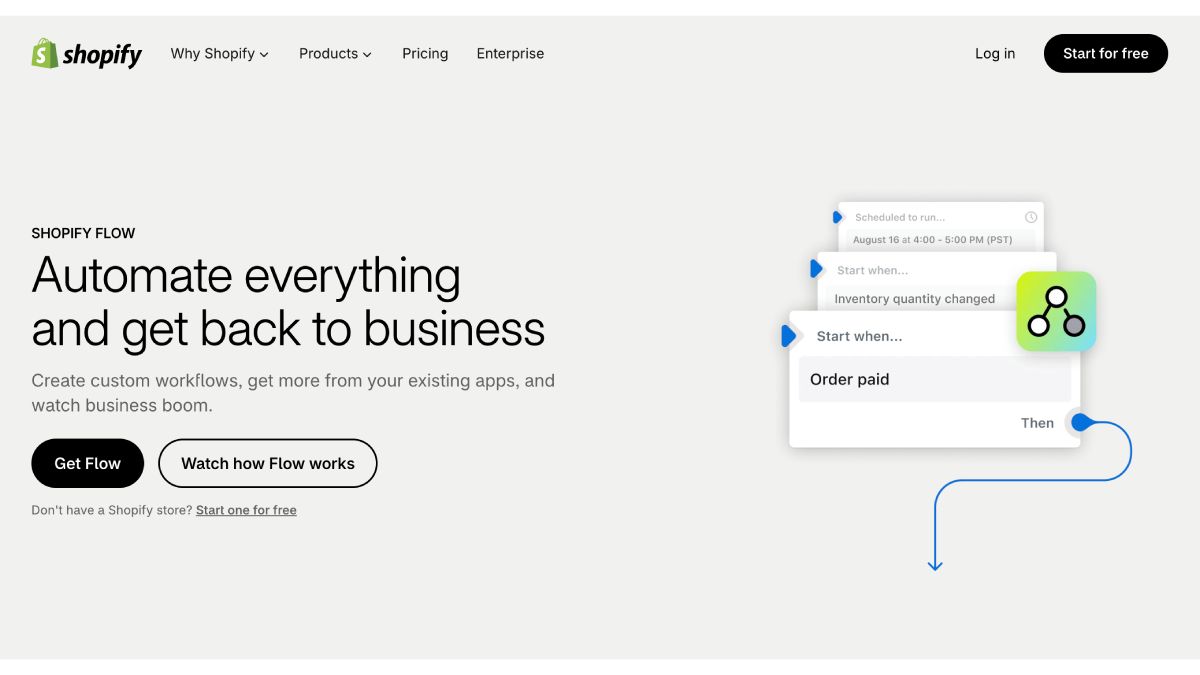
Best for: Dropshippers who already have products live and want predictable Shopify-side rules to run automatically around orders, inventory, fraud, fulfillment, customers, and connected apps.
Shopify Flow is the deterministic layer in this stack. It does not research products or choose suppliers. Instead, it watches Shopify for a defined event, checks the conditions the merchant configured, and runs the corresponding actions.
Flow is a free app on Shopify Basic, Grow, Advanced, and Plus. Every workflow starts with one trigger, then can branch through multiple conditions and actions. It can also run on a schedule rather than waiting for an event.
For a dropshipping store, that becomes useful immediately after publication.
Use Flow to control what happens around the order
A merchant could build rules such as:
When an order is paid and contains products assigned to this fulfillment service, submit the fulfillment request.
Shopify exposes a Fulfillment order ready to fulfill trigger, along with actions to submit a fulfillment request, hold the fulfillment order, release a hold, or mark it fulfilled.
Shopify even provides a template that submits paid orders to a specified fulfillment service and holds orders that don't meet the conditions.
That doesn't mean Flow places an AliExpress order or chooses the Zendrop supplier. The supplier platform still handles that part. Flow controls the Shopify-side rule for when the order should be released, held, tagged, or handed off.
Fraud checks matter more when supplier orders cost real money
One particularly useful dropshipping workflow is holding fulfillment until Shopify has finished its risk analysis.
Shopify recommends using the Order risk analyzed trigger rather than Order created when the workflow depends on fraud risk, because risk data might not yet exist when the original order event fires. A store can then hold fulfillment for high-risk orders, tag them for review, or control payment capture according to the result.
That can prevent a supplier order from being released simply because a Shopify order exists.
Inventory triggers can turn supplier changes into store actions
Flow includes triggers for:
- Product variants going out of stock;
- Variants coming back into stock;
- Inventory quantity changes;
- Product creation and status changes.
Those triggers can launch Shopify-side actions or notifications when inventory changes.
For example:
When a product variant goes out of stock, tag the product for review and alert the merchandising team.
The important distinction is that Flow reacts to inventory Shopify already knows about. It does not independently check AliExpress, AutoDS, DSers, or Zendrop for supplier stock. That supplier data has to reach Shopify first through the relevant integration.
Flow can also monitor fulfillment after the handoff
Third-party fulfillment services can create fulfillment events such as picked up, in transit, or delivered. Shopify Flow's Fulfillment event created trigger can react to those updates and continue the workflow inside Shopify or a connected app.
That makes Flow useful on both sides of the handoff:
- Before fulfillment: decide whether an order should be released.
- After fulfillment: respond to status changes coming back from the fulfillment service.
Scheduled workflows cover exceptions that don't generate a clean trigger
Not every useful automation starts with a new order.
Flow's Scheduled time trigger can run as frequently as every 10 minutes, and scheduled workflows can retrieve up to 100 matching records with Get data actions, loop through them, and perform actions on each result.
A merchant could use that for:
Every morning, find orders that still haven't shipped after two days and send the operations team a summary.
Or:
Every evening, find products currently out of stock and add them to an inventory-review workflow.
That is often more useful than trying to force every operational exception into a real-time trigger.
Flow can reach outside Shopify too
Flow isn't limited to internal Shopify changes. Actions can work with supported app connectors, send Slack messages, add data to Google Sheets, or call external services.
On Grow, Advanced, and Plus, Flow can send HTTP requests to external URLs. Its Send Admin API request action can also use most Shopify GraphQL Admin API mutations, including some changes that aren't exposed as dedicated Flow actions.
So the dividing line isn't simply “Flow stays inside Shopify.” It's better described as:
Flow is Shopify-centered automation whose logic is defined in advance.
Sidekick can help build the workflow, but Flow still runs it
Merchants don't necessarily have to assemble every trigger and condition manually.
With the Flow app open, Shopify Sidekick can create or edit a workflow from a plain-language request such as:
Create a workflow that holds high-risk fulfillment orders and alerts my team.
The merchant still reviews and activates the resulting workflow. Once active, Flow, and not Sidekick, runs the rule automatically whenever its trigger occurs.
That is a useful distinction from agentic automation: Sidekick can help define the rule, but Flow remains deterministic at runtime.
Test workflows before trusting them with fulfillment
Flow also has a practical limitation worth knowing: Shopify data is not always populated at exactly the same moment an event occurs.
Shopify specifically warns that some order fields (including fulfillment, UTM, and risk information) can populate asynchronously. Choosing the wrong trigger can therefore cause a workflow to evaluate incomplete data.
Shopify recommends testing workflows and, where possible, using the trigger tied directly to the event you care about.
For example, Order risk analyzed instead of Order created for fraud logic.
This matters much more when the next action could release an order to a supplier.
Biggest advantage
Flow is native Shopify automation for repeatable decisions that should happen the same way every time. Once the rule is tested and activated, it can run without someone asking an AI agent to perform the task again.
Biggest limitation
Flow doesn't decide what product to sell, which supplier is best, or how a landing page should be positioned. It also doesn't create its own supplier inventory data. Its strength begins when Shopify already has an event or data point that can be turned into a rule.
PagePilot handles the research-to-launch workflow. Supplier platforms handle sourcing and fulfillment. Flow automates the Shopify rules that connect and govern what happens around them.
Shopify dropshipping automation tools compared
| Tool | Best at | Starts with | Carries the workflow through | Where another tool takes over |
| PagePilot MCP | Research-to-launch automation | Product opportunity, store/ad research, or a source URL | Page creation, positioning, offer, variants, SKUs, AI imagery, Shopify publishing | Supplier mapping, stock sync, ordering, and fulfillment |
| AutoDS | Broad supplier and store operations | Product/supplier discovery or an imported product | Import, pricing rules, supplier monitoring, eligible order automation, tracking | Deeper landing-page positioning or creative launch work |
| DSers | Supplier-to-order workflows | Supplier/product discovery or an existing store product | Supplier comparison, mapping, pricing, bulk order placement, tracking | Dedicated landing-page and creative production |
| Zendrop | Managed sourcing and fulfillment | Zendrop catalog product or sourcing request | Product linking, sourcing, fulfillment, tracking, selected branding options | Real-time supplier-stock syncing and deeper launch-page creation |
| Dropship.io | Product, ad, and competitor intelligence | Product idea, ad, competitor, image, video, URL, or keyword | Research, validation signals, unit-economics analysis, product/store import | Detailed page creation, supplier management, and fulfillment |
| Shopify Flow | Shopify-side rules after launch | Shopify event or schedule | Tags, holds, alerts, fulfillment rules, fraud workflows, app actions | Product research, supplier decisions, and merchandising judgment |
What does each tool cost?
PagePilot MCP
Public pricing currently starts at $39/month for Lite, with Starter at $59 and Scaler at $79. MCP research, page creation, publishing, and AI-image workflows require Lite or higher.
Confirm the current page, image, and store allowances with PagePilot before publishing those limits, as the available first-party materials currently conflict.
AutoDS
For Shopify, AutoDS currently starts at $26.90/month for Import 200, $39.90 for Starter 500, and $66.90 for Advanced 1K. Price and stock monitoring starts at Starter.
The subscription is only part of the cost. Product Finding Hub is another $14.97/month, Orders Processor is $9.90/month, automated ordering consumes prepaid Auto-Order Credits, and AI pages, images, and ad copy use separately purchased AI credits.
AutoDS subscriptions are also tied to a selling channel, so using additional channels can mean additional subscriptions.
DSers
Basic is free. Advanced costs $19.90/month, Pro $49.90, and Enterprise $499.90, with discounted yearly billing. MCP access, automatic pricing, automatic price and stock sync, package-status sync, and other higher-automation features begin on Advanced.
Zendrop
New Shopify and Wix users currently use usage-based billing: $0 with no linked products, $29/month for 1–20, $49 for 21–100, and $79 for 101+, with $79 as the cap. Billing is based on the highest number of linked products reached during the billing cycle.
Older or directly billed accounts may instead use Standard Pro at $49/month or Plus at $79/month, with annual options of $399 and $549 respectively.
Dropship.io
Monthly plans currently cost $39 for Basic, $59 for Standard, and $99 for Premium. Annual billing lowers the effective monthly cost to $26, $34, and $49 respectively, paid upfront for the year.
Shopify Flow
Flow itself has no separate app fee. It is available free on Shopify Basic, Grow, Advanced, and Plus, although some Flow capabilities are plan-specific and the merchant still pays for their underlying Shopify subscription.
Where does the fulfillment inventory actually come from?
- DSers. The merchant connects a supplier platform, AliExpress, Alibaba, or 1688 Dropshipping.
- Zendrop. Zendrop's own sourcing network and catalog, with custom sourcing going through its China-based supplier network even though its catalog separately carries US products.
- AutoDS. Multiple supported retail suppliers, plus the AutoDS Marketplace and FBA.
- PagePilot and Dropship.io. Neither is a supplier-fulfillment platform. Both operate earlier in the workflow, around research, launch, or store creation rather than holding or synchronizing supplier inventory.
What happens when stock changes?
- AutoDS scans suppliers multiple times a day rather than continuously.
- DSers' sync frequency depends on the plan, and it's a paid-plan feature to begin with.
- Zendrop doesn't do real-time supplier-stock sync, it sends availability notifications and can require a manual Shopify update.
- PagePilot and Dropship.io. Supplier-stock synchronization sits outside their scope, that inventory monitoring belongs with the supplier or fulfillment platform connected after launch.
Can Shopify dropshipping be automated end to end?
Most of it can, but usually across more than one tool and with human review at key decisions.
PagePilot can automate product research, page creation, pricing, variants, imagery, and Shopify publishing. After launch, supplier automation differs by platform. AutoDS checks supplier price and stock several times per day, while DSers offers scheduled automatic inventory and price updates on paid plans. Zendrop instead verifies availability through its sourcing and fulfillment network rather than exposing live supplier-stock counts.
People still need to make the final call. Ad spend, bestseller status, and margin estimates can help narrow the shortlist, but they don’t tell you whether the product is actually good, the supplier is reliable, the positioning makes sense, or the economics will hold up once you launch.
Stick with one platform if it already handles your suppliers, orders, and fulfillment well. Add another tool only when there’s a clear gap, such as better product research, stronger page building, paid acquisition, or more advanced fulfillment.
Each new tool should solve a specific problem, not just add another dashboard.
What should AI automate vs rules and supplier systems?
- Strong AI use cases. Product research, ad and competitor research, copywriting, landing-page creation, translations, positioning, image generation, support triage, analytics.
- Better as deterministic automation. Stock synchronization, supplier-price synchronization, tracking updates, order routing, bulk order placement, fulfillment triggers.
- Keep humans involved. Supplier selection, quality control, legal and compliance claims, high ad-spend decisions, unusual refunds, customer escalations, and deciding when to stop selling something.
No platform on this list is a passive-income robot store. Use AI where judgment matters. Use rules and supplier platforms where consistency matters.
What should small dropshipping stores automate first?
Product research. Cut the time wasted chasing obviously weak opportunities.
Page creation. Stop rebuilding every product page by hand.
Product import and publishing. Eliminate the copy and paste.
Stock synchronization. Stop selling something that's out of stock, where the tool actually supports real sync.
Supplier price monitoring. Protect margin.
Order fulfillment. Becomes critical once volume grows.
Customer support. Automate once ticket volume actually justifies it.
Don't tell a brand-new seller to assemble a twelve-app spaceship before their first sale.
Are dropshipping automation tools worth it?
Worth it when the repetitive work it removes costs more than the software.
- PagePilot. Time from product discovery to a live page, products tested per month, manual page-building hours removed.
- AutoDS. Supplier monitoring hours, pricing errors prevented, order-processing time.
- DSers. Order volume handled, bulk-processing time saved.
- Zendrop. Sourcing and fulfillment workload, shipping reliability.